Thermal Printer vs Inkjet: Choosing the Right Printer for Your Needs
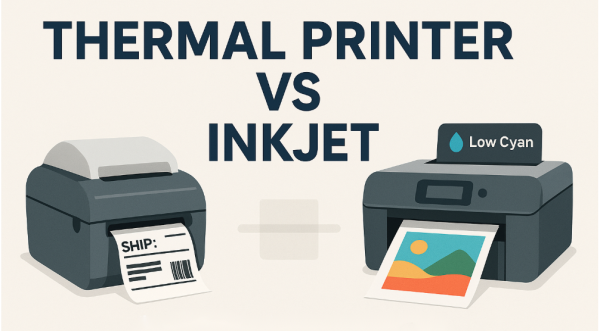
You’re about to print a shipping label. The inkjet hums to life, then flashes that familiar warning — “Low Cyan.” For a black-and-white label, really? It feels wasteful. Overcomplicated.
That small annoyance sums up the thermal printer vs inkjet debate. The two aren’t rivals so much as tools built for entirely different jobs. Each technology shines in its own context. This guide cuts through the noise to help you choose the printer that fits the way you actually work.
How Thermal and Inkjet Printers Work: Core Technology Explained
To understand which printer is better for you, it's essential to know how they operate. The difference isn't just in the output; it's in the very mechanism that creates an image.
The Science of Thermal Printing
Thermal printers are marvels of simplicity. They require no ink, toner, or ribbon (in the case of direct thermal printing. Instead, they use a heated printhead that selectively applies heat to a specially coated, heat-sensitive paper. Where the printhead heats up, the coating on the paper turns black, creating the text, barcode, or image.
There are two main types:
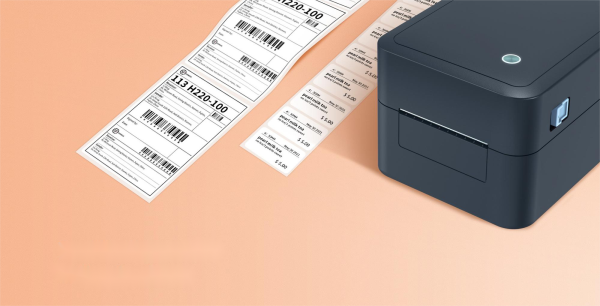
• Direct Thermal: The printhead applies heat directly to the label or tag material. These are common for shipping labels, receipts, and temporary barcodes. A key limitation is that the prints can fade over time if exposed to heat, light, or friction.
• Thermal Transfer: The printhead heats a wax or resin-based ribbon, which then melts onto the label material. This produces a highly durable, smear-proof image that is resistant to environmental factors. This method is preferred for asset tags, compliance labels, and permanent product identification.
The Mechanics of Inkjet Printing
Inkjet printers work by propelling microscopic droplets of liquid ink onto paper. There are two primary technologies:
• Thermal Inkjet (Canon, HP): A small heater inside the printhead creates a steam bubble, which forces an ink droplet out of the nozzle and onto the paper. This is the most common technology in home and office inkjet printers.
• Piezoelectric Inkjet (Epson): A piezoelectric crystal behind the nozzle receives an electrical charge, causing it to vibrate and push ink out. This method allows for more control over the droplet size and shape, often resulting in higher precision and potentially lower ink costs.
Inkjets are renowned for their ability to produce high-quality color photographs and complex documents on a wide variety of paper types.
Thermal Printer vs Inkjet: Key Differences and Comparison
Let's break down the critical differences between these two printer types across the most important decision-making criteria.
Print Quality and Color Capabilities
• Inkjet: Excels at color and detail — the go-to choice for photos, graphics, and marketing materials. Modern inkjets can produce stunning, photorealistic images with a vast color gamut. They are the only option for printing high-resolution photos, marketing materials, and detailed graphics.
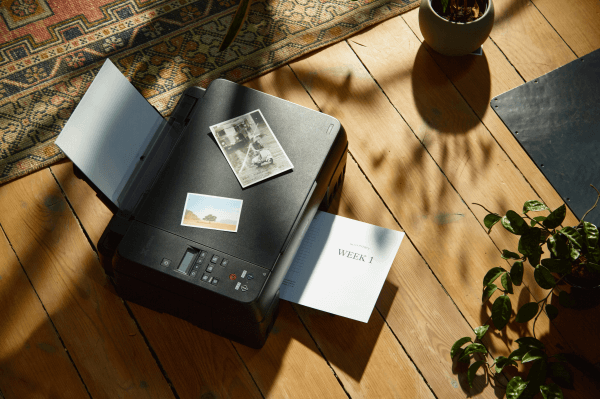
• Thermal: Predominantly monochrome (black). While the print quality for text and barcodes is exceptionally sharp and precise, it does not support color. Its strength lies in functional, high-contrast printing of data, not in creative or photographic applications.
Operational Costs and Consumables
This is where the thermal printer vs inkjet debate gets decisive.
• Thermal: The long-term cost structure is a major advantage. With direct thermal printers, your only consumable is the paper or labels. With thermal transfer, you need labels and ribbons, but the cost-per-label is typically very low and predictable. There are no printheads to clog or expensive ink cartridges to replace unexpectedly.
• Inkjet: Known for the "razor and blades" model. The printer itself can be inexpensive, but the ongoing cost of proprietary ink cartridges is high. According to a study by Consumer Reports, the cost of ink over time can far exceed the initial purchase price of the printer. Ink can also dry out if not used regularly, leading to waste.
Speed, Volume, and Durability
• Speed and Volume: Thermal printers are significantly faster for their intended tasks, such as churning out continuous receipts or sheets of shipping labels. They are built for high-volume, repetitive printing in environments like warehouses or retail points of sale. Inkjets are generally slower, especially for high-quality photo printing, though they are sufficient for standard office or home volume.
• Durability: Thermal transfer prints are extremely durable and resistant to water, smudging, and UV light, making them ideal for outdoor or industrial use. Inkjet prints, particularly those using dye-based inks, are vulnerable to smudging and fading when wet unless special archival or waterproof paper is used.
Which Is Better: Thermal Printer or Inkjet?
Your decision should be guided by a simple question: What am I printing, and how often?
Choose a Thermal Printer If...
• You run an e-commerce business and need to print dozens or hundreds of shipping labels daily.
• You operate a retail or hospitality business and need a reliable, fast receipt printer.
• You work in a warehouse or factory and need to print durable asset tags, barcodes, or compliance labels.
• Your printing needs are functional, not artistic.
• Your top priorities are low operational cost, speed, and reliability.
Choose an Inkjet Printer If...
• You are a photographer, artist, or designer needing to print high-fidelity color images.
• You need a versatile home or office printer for a mix of documents, school reports, presentations, and the occasional photo.
• Your work involves creating marketing materials like flyers and brochures in-house.
• Your printing needs require color and high visual impact on a variety of paper types.
• Print volume is moderate, and you value versatility over sheer speed and lowest cost-per-page.
Final Thoughts
The thermal printer vs inkjet discussion isn't about finding a single "best" printer; it's about matching technology to task. They are specialized tools for different jobs. Thermal printers are the workhorses of commerce and logistics, offering unparalleled efficiency and low costs for functional, high-volume monochrome printing. Inkjet printers are the artists of the printing world, providing the color and detail necessary for creative and general office work, albeit with higher ongoing consumable costs.
By understanding these core differences, you can move beyond the frustration of incompatible technology and choose a printer that becomes a seamless, cost-effective asset to your workflow.
Thermal Printer vs Inkjet — Common Questions Answered
Q1: Can a thermal printer print on regular paper?
Not really. Thermal printers need heat-sensitive paper or coated thermal labels to work. The image forms when the printhead’s heat reacts with that coating — no coating, no image. Try regular paper and you’ll just get a blank sheet.
Q2: Are thermal printer labels more expensive than inkjet labels?
Not by much. The real savings come from what you don’t buy — ink. Since thermal printers use only paper (or a ribbon for thermal transfer), the long-term cost per label is far lower than with inkjet printers, especially if you print a lot. Over time, the ink you never buy adds up fast.
Q3: Which printer is better for printing barcodes and QR codes?
Thermal printers — especially thermal transfer models — win hands down. They create crisp, durable barcodes that meet GS1barcode standards, ensuring reliable scans in retail and logistics. Inkjet prints can blur or smudge, which makes them risky for shipping and inventory tracking.
Q4: Do thermal printers require less maintenance than inkjets?
Yes. Thermal printers are built for simplicity — no ink, no clogged printheads, no mess. The main upkeep is just wiping the printhead clean now and then to remove paper dust. That’s it. Less downtime, fewer headaches.
Q5: Can I use an inkjet printer for shipping labels?
You can, sure. But if you’re printing a lot, it’ll slow you down — and cost you more. Inkjet labels can smear if they get wet, and replacing ink adds up quickly. A dedicated thermal label printer stays fast, clean, and consistent — exactly what you need for high-volume shipping.