Thermal Printer Resolution Guide: Why High Resolution Matters
Ever wondered why two printers with the same size and speed can produce such different results? The secret often lies in their thermal printer resolution. It’s not just a number—it’s what defines every line, barcode, and label your printer creates.
Understanding Thermal Printer Resolution
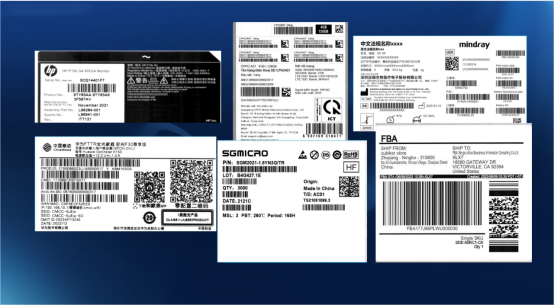
At its core, thermal printer resolution refers to how many individual heating elements (dots) the print head contains per inch, measured in dpi (dots per inch).
A higher DPI means more dots—and more detail. When each dot is smaller and closer together, text looks sharper and barcodes become easier to scan. The standard benchmarks are:
Resolution (DPI) | Description | Typical Use |
203 dpi | Entry-level clarity | Receipts, shipping labels |
300 dpi | Medium precision | Barcodes, product labels |
600 dpi | High precision | Photos, micro labels, medical printing |
Most thermal printers operate at 203 or 300 dpi, but for specialized industries—such as electronics, pharmaceuticals, or high-end retail—a 600dpi thermal printer is now becoming the standard.
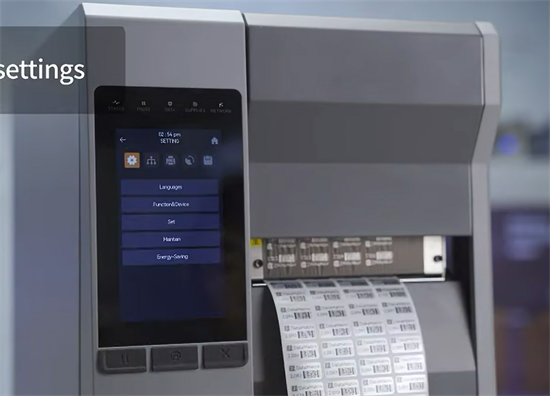
How Resolution Impacts Printing Performance
The key thing to remember is this: resolution directly shapes accuracy.
• Text clarity: Higher resolution prevents jagged edges on small fonts.
• Barcode readability: Barcodes printed at 203 dpi may fail scanning under tight density standards like GS1; 300 dpi or higher ensures reliability.
• Graphic precision: Logos and symbols appear smoother, particularly on glossy or synthetic label media.
• Durability: High-resolution dots apply heat more evenly, reducing wear on both ribbon and print head.
In practice, these differences translate to fewer misreads, fewer reprints, and lower operational costs over time.
Thermal Printer Resolution vs. Speed and Cost
Higher resolution isn’t always better for every case. There’s a trade-off.
Feature | 203 DPI | 300 DPI | 600 DPI |
Print Speed | Fastest | Moderate | Slower |
Clarity | Basic | High | Excellent |
Cost | Lowest | Medium | High |
Use Case | Receipts, tickets | Barcodes, packaging | Imaging, precision labeling |
If your workflow relies on volume—like POS receipts or logistics—you’ll likely prioritize speed over resolution. But when precision matters, a high-resolution thermal printer (offering 300 dpi or more) provides value that goes beyond aesthetics. It ensures compliance, readability, and consistency.
Choosing the Right Thermal Printer Resolution for Your Application
Resolution choice depends on what you’re printing—and how critical clarity is.
Here’s a quick guide:
1.Retail and POS
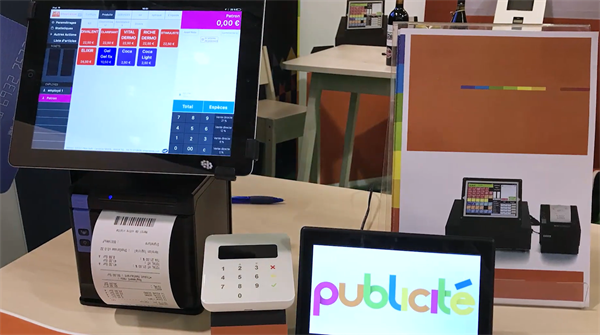
For everyday receipts or transaction slips, 203 dpi is more than enough. The human eye won’t notice minor dot gaps. Most thermal receipt printers or kiosk printers on the market are designed with 203 dpi print heads.
2.Logistics and Warehousing
High-demand shipping labels and QR codes demand 300 dpi for reliable scanning and regulatory accuracy. For example, a 300 dpi thermal barcode printer is commonly used to print SKU barcodes and product labels with clear, scannable details.
3.Healthcare and Laboratory
Labels used on test tubes, micro vials, or pharmaceuticals rrequire 300 to even 600 dpi to ensure microtext and barcodes remain legible under microscopes or scanners.
4.Industrial Manufacturing
When printing durable labels on metal or synthetic materials, high DPI settings minimize smearing and preserve traceability codes during long-term use. Typically, 300 dpi or higher industrial thermal printers are used to produce sharp, long-lasting identification labels.
Things to Remember
Resolution determines clarity. But clarity determines credibility. Whether you’re producing barcodes for global shipping or branding labels for luxury goods, understanding thermal printer resolution helps you choose a printer that meets both your visual and operational standards.
FAQs
1. What is the standard resolution for a thermal printer?
Most thermal printers operate at 203 dpi. It provides acceptable clarity for text and basic barcodes in retail or logistics applications.
2. What is considered a high resolution thermal printer?
A printer with 300 dpi or higher resolution qualifies as high resolution. Some specialized models reach 600 dpi for ultra-precise printing.
3. Does higher resolution mean slower printing?
Yes, slightly. More dots mean more heating cycles per inch, which can reduce print speed. However, modern processors compensate effectively.
4. Can I upgrade my printer’s resolution?
No, resolution depends on the physical print head’s design. You can only improve results by using higher-quality label materials or optimizing print settings.
5. Is 300 dpi enough for barcode printing?
For most barcodes, yes. But for very small or high-density codes (e.g., Data Matrix), 600 dpi ensures reliable scanning performance.