Can Thermal Printers Print Color? What You Need to Know
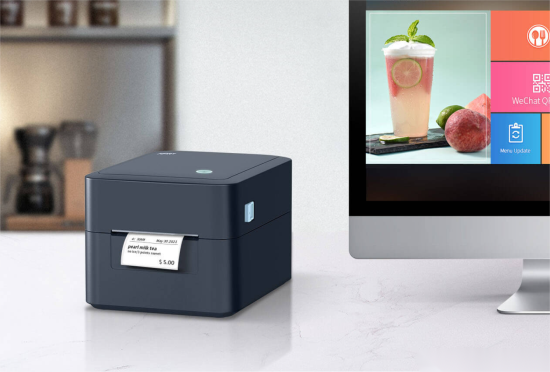
Wondering can thermal printers print color? Short answer: mostly no—at least not like a standard CMYK desktop printer. Still, there are smart ways to add color with thermal tech, and a few niche paths to truly colorful output.
How Thermal Printing Actually Works
Direct Thermal vs. Thermal Transfer (The Quick Primer)
• Direct Thermal: Heat activates thermochromic paper. It darkens where heated—usually black. Simple, fast, ink-free.
• Thermal Transfer: Heat melts wax/resin ribbon onto media. More durable prints, broader material support, optional spot-color via colored ribbons.
Why Full Color Isn’t the Default
These printers were built for reliability and speed, not photo-grade output.
• Direct thermal paper is engineered for black; some specialty stocks add a second color (often red).
• Thermal transfer can use colored ribbons, but prints one color at a time; multi-pass setups add complexity and cost.
Can Thermal Printers Print in Color? Yes—With Caveats
Option 1: Dual-Color (Black + Red) Direct Thermal
Some receipt and label media enable two colors using different heat intensities. It’s great for alerts, totals, or warnings—not for photos or gradients.
Pros: No ink, fast, eye-catching highlights
Cons: Limited to two colors; requires compatible paper and printer settings
Option 2: Spot-Color via Thermal Transfer Ribbons
Swap in red, blue, green (etc.) ribbons to add branding or color-coded elements. Typically one color per pass; multi-pass jobs add time and alignment needs.
Best for: Logos, hazard icons, colored headers, and durable barcodes on synthetic labels
Option 3: Specialized Full-Color Thermal (e.g., ZINK)
ZINK paper embeds CMY dye layers that activate under heat—no ink cartridges. Output is full color, but media/printer choices are limited and costs differ from standard label workflows.
Use cases: Compact photo printers, on-the-spot colorful stickers, niche labeling
Cost, durability and workflow considerations
• Thermal printing (especially direct thermal) is low-maintenance: no ink/toner. Good for high volume.
• Color ribbons or full-color thermal media cost more, may require slower print speeds or multiple passes.
• Color output may have lower resolution or color accuracy compared to inkjet/laser.
Triton
• Even when color is achieved, barcodes and variable data printed in dark/black remain preferred for readability and scanning reliability.
Recommendations for label/receipt use
• If you’re using printers for receipts, shipping labels, barcode labels: stick with monochrome thermal unless you have a clear business case for color.
• If branding or regulatory color coding is needed: evaluate label stock and workflow. For example: pre-printed colored labels with black data printed via thermal.
• If you absolutely need full-color, explore dedicated systems or hybrid approaches—thermal may not offer the vibrant output you expect.
Wrapping Up
So—can thermal printers print color? Yes, in targeted ways. Dual-color papers and colored ribbons cover most needs; ZINK brings true color for niche cases. If you require rich, accurate, full-color labels at scale, a non-thermal path may fit better. The key thing to remember is simple: match your color ambition to the right thermal (or non-thermal) method—then your results, and your costs, will make sense.
FAQ
Q1: Can thermal printers print in color like inkjet?
Not typically. Thermal printers excel at black output; color is either dual-color, spot-color with ribbons, or niche full-color systems like ZINK—not standard CMYK photo printing.
Q2: What is dual-color thermal paper?
A specialty direct thermal paper with two dye layers—often black and red—activated at different heat levels to highlight warnings, totals, or promotions.
Q3: Are colored thermal transfer labels durable?
Yes—especially with resin ribbons on synthetic media. They resist abrasion, moisture, and many chemicals, making them ideal for industrial use.
Q4: Will color hurt barcode scanning?
It can. Keep barcodes black on light backgrounds and test scan performance. Avoid low-contrast color behind bars or quiet zones.
Q5: When should I choose ZINK?
When you need compact, full-color output without ink cartridges—photos, stickers, small runs. It’s niche, not a drop-in replacement for warehouse labels.