High-Resolution & Small-Label Barcode Printing: 300 DPI and Beyond
When you hold a small electronic component or a jewelry tag in your hand, those tiny barcode labels often look impossibly crisp. They have to be—because even a small printing flaw can make a barcode unreadable to scanners. That’s where high-resolution barcode printers come in.
These printers are designed for precision. Every dot, every line, every millimeter counts. Whether you’re printing for electronics, medical devices, or retail micro-labels, understanding what “high resolution” really means—and when it matters—can save you time, money, and frustration down the line.
What Makes a Barcode Printer “High Resolution”?
Resolution in printing is measured in dots per inch (DPI). It indicates how many tiny dots the printer can place in one inch of printed material. The higher the DPI, the sharper the image.
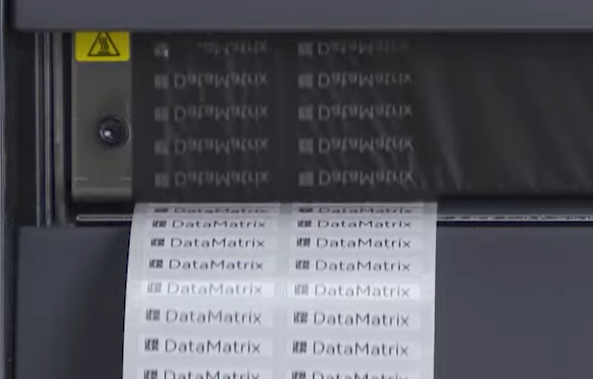
Most standard barcode printers offer 203 DPI, which is fine for large labels like shipping tags or warehouse stickers. But once your label size shrinks below one inch—or your barcode includes dense 2D codes like QR or DataMatrix—you’ll need 300 DPI or even 600 DPI.
A 300 DPI barcode printer strikes the perfect balance between quality and speed. For applications that demand ultra-fine detail—like medical vials, circuit boards, or microchips—a 600 DPI printer ensures every line of data remains clear and scannable.
Interestingly, we often see that companies only realize they need high DPI after running into scanning errors or print rejections from production lines. A little foresight goes a long way.
Why Resolution Matters for Small Labels
When you print tiny barcodes or text, every pixel of precision matters. Here’s what happens if you rely on a low-resolution printer for small labels:
• Barcodes bleed or blur together, causing scanning failures.
• Fine text becomes fuzzy and unreadable.
• Labels look unprofessional or inconsistent across batches.
A high-resolution barcode printer solves all of these issues by producing sharp edges, consistent line widths, and cleaner graphics. That means fewer reprints, faster scanning, and fewer rejected parts—especially in industries where traceability is non-negotiable.
Think about a small printed circuit board (PCB) tag or a hospital wristband. If the barcode fails to scan, production stops. High resolution isn’t just about image quality; it’s about operational reliability.
Key Applications for 300 DPI and 600 DPI Printers
Industry | Label Type | Recommended Resolution |
Electronics | Micro PCBs, component ID tags | 600 DPI |
Jewelry & Fashion | Price tags, fine barcodes | 300 DPI |
Healthcare | Sample vials, wristbands | 300 – 600 DPI |
Manufacturing | Product serial labels | 300 DPI |
Logistics | Small barcode labels | 300 DPI |
In practice, micro-label barcode printers are now common in high-precision sectors like electronics and pharmaceuticals. These environments demand accuracy down to fractions of a millimeter—something only a 600 DPI industrial printer can guarantee.
Other Factors That Influence Print Quality
Resolution isn’t everything. Even the best printer can produce poor results if other variables aren’t right:
• Label material: Glossy, synthetic labels hold detail better than paper ones.
• Ribbon and media compatibility: For thermal transfer printers, pairing the right ribbon with the right label stock ensures clean edges.
• Printer calibration: A misaligned printhead can distort even the sharpest 600 DPI print.
The key thing to remember is that print quality is the sum of all these factors, not just DPI.
Choosing the Right High-Resolution Barcode Printer
If you print labels under one inch wide, or you’re working with fine 2D codes, you need a high-resolution barcode printer—ideally 300 DPI or higher. For general business labeling, 203 DPI may still suffice.
Ask yourself:
• How small are my labels?
• How critical is scan accuracy?
• What’s the label environment (heat, moisture, abrasion)?
Once you answer those, the right printer practically chooses itself.
For instance, a 600 DPI barcode printer for dense 2D codes ensures compliance in traceability-heavy industries, while a 300 DPI model is perfect for small business product labels or inventory tags.
Final Thoughts: Precision Drives Productivity
At the end of the day, clarity equals efficiency. Investing in a high-resolution barcode printer means fewer print errors, smoother scanning, and stronger brand presentation. It’s not just about printing labels—it’s about ensuring every product, every package, every piece of data is traceable from start to finish.
Because when your labels are crystal clear, your workflow is too.