Continuous vs Gap Labels: A Guide to Barcode Printing Accuracy
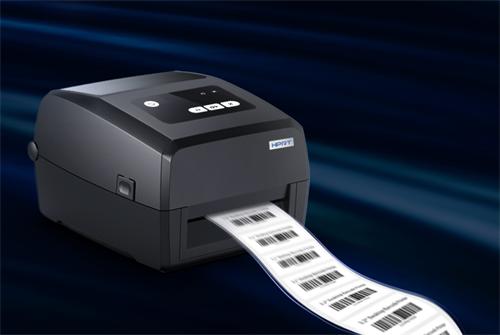
In barcode printing, the choice between continuous and gap labels is a foundational hardware decision that directly dictates scanning reliability. Understanding the difference between continuous vs gap labels is critical for preventing misprints, failed scans, and operational delays. This guide explains the technical distinctions, their impact on accuracy, and how to select the correct media for your application.
What Are Continuous and Gap Labels? Defining the Basics
At the physical level, label rolls are categorized by how individual labels are separated on the liner. This fundamental design dictates how a printer identifies where one label ends and the next begins.
Continuous Labels: The Uninterrupted Roll
Continuous labels, often called "die-cut" or "butt-cut," have no physical space between them. The labels are cut through the face material but remain attached to a continuous backing liner. The roll appears as a solid sheet with perforated lines or very fine cuts defining each label's border.
Gap Labels: The Spaced-Out Standard
Gap labels feature a physical gap of exposed liner between each label. Alternatively, some media uses a black mark (or "eye mark") printed on the liner between labels. These physical indicators provide a clear signal for the printer's sensor to detect.
How Your Printer "Sees" the Difference: The Role of Sensors
The core technical difference lies in detection methodology. Printers use sensors to determine the print start position, and the label type must match the sensor's configuration.
Continuous Label Printing: Relying on Measurement
For continuous labels, printers typically use a method called "web" or "length" sensing. The printer measures a pre-programmed distance from the end of the last print job to determine where the next label should begin. This method relies on precise mechanical feed mechanisms and can be susceptible to cumulative drift over a long print run.
Gap Label Barcode Alignment: Precision from Detection
For gap labels, a transmissive or reflective sensor detects the physical gap or black mark. When the sensor identifies the gap, it resets the print position to the top of the next label with high precision. This detection provides a consistent, reliable starting point for each label, which is essential for accurate gap label barcode alignment.
The Direct Impact on Barcode Accuracy and Scan Rates
Using the wrong label type or incorrect sensor settings leads directly to printing errors that compromise barcode scannability.
Common Label Gap Detection Issues and Misprints
Mismatched media and sensor settings cause predictable problems. Using continuous labels on a gap sensor setting often results in the printer searching for a non-existent gap, causing erratic feeding and skewed prints. Conversely, using gap labels on a continuous setting leads to print drift, where barcodes slowly creep up or down the label across a roll, eventually printing off the edge. Other common label gap detection issues include truncated barcodes or data printed entirely in the gap.
Why Barcode Symbology and Size Magnify the Problem
High-density linear barcodes (like Code 128) and 2D codes (like QR or Data Matrix) have strict quiet zone requirements—clear space around the symbol. Even minor misalignment from sensor drift can encroach on this zone, causing scan failures. On small labels, the margin for error is virtually zero, making precise gap detection or consistent web feeding critical.
Choosing the Right Label: Key Factors and Use Cases
Selecting between continuous and gap labels depends on application requirements, scanning environment, and printer capability.
Ideal Continuous Labels Barcode Use Cases
Continuous labels barcode use cases are typically non-critical or internal applications where absolute precision is less vital. Examples include simple inventory bin labels, basic product identification in a controlled warehouse, or temporary signage. They are often chosen for their lower cost per label and suitability for high-volume, general-purpose printing where scanners are highly tolerant.
When Gap Labels Are Non-Negotiable
Gap labels are essential for any application requiring guaranteed first-pass scan rates. This includes compliance labeling (GS1, UDI, retail), shipping labels (carrier requirements), point-of-sale items, and labels used in high-speed automated sorting or conveyor systems. The precise alignment they enable is non-negotiable for external compliance and automated system integration.
Troubleshooting Gap Sensor Barcode Problems
Many gap sensor barcode problems stem from incorrect configuration or calibration. A systematic approach can resolve most alignment issues.
Calibration and Configuration Checklist
Verify the printer's sensor type is set correctly in its menu (gap/black mark vs. continuous).
Run the printer's built-in media calibration routine to teach it the label length and gap size.
Adjust sensor sensitivity if barcodes are printing inconsistently; a weak signal may cause missed gaps.
Ensure the label stock is loaded correctly, with the sensor aligned to pass over the gap or black mark.
Solving Persistent Misalignment
If problems persist, check the printer driver settings on your computer to ensure the defined label dimensions match the physical media. Inspect the sensor lens for dust or adhesive residue that could obstruct detection. Finally, test with a new roll of known-good media to rule out a defective label batch with inconsistent gaps.
Final Verdict: Ensuring Precision in Your Barcode Operations
The choice between continuous and gap labels is not merely about cost or convenience; it is a fundamental determinant of barcode system performance. For internal, low-tolerance applications, continuous label printing may suffice.
For any external, compliance-driven, or automated process, the precision of gap-based detection is indispensable. By matching your media to your printer's sensing method and your operational requirements, you establish a reliable foundation for accurate barcode printing. Understanding the principles behind continuous vs gap labels is the first step toward eliminating scanning failures and ensuring operational efficiency.
FAQ Section: Continuous vs Gap Labels Questions
Can I use continuous labels in a printer set for gap labels?
No. The printer will pause, searching for a gap that doesn't exist, leading to mis-feeds, skewed prints, or media errors. Always configure the printer for the specific media loaded.
What happens if my gap sensor gets dirty or blocked?
A dirty sensor may fail to detect gaps or black marks consistently, causing the printer to skip labels or print in the wrong position. Regular cleaning of the sensor lens with a dry cloth is recommended maintenance.
Are gap labels significantly more expensive than continuous labels?
The cost difference is usually marginal per label. The added manufacturing step of creating a gap or applying an eye mark may incur a slight premium, but this is often negligible compared to the cost of mis-scans and rework in critical applications.
How can I tell if my existing label roll is continuous or has gaps?
Hold the roll up to a light source and look between labels. If you see a clear, consistent strip of exposed shiny liner, they are gap labels. If the labels appear to touch with only a fine cut line between them, they are continuous. You can also feel for a slight physical ridge at the gap.