Barcode Label Skipping: Diagnosing and Fixing Blank Labels
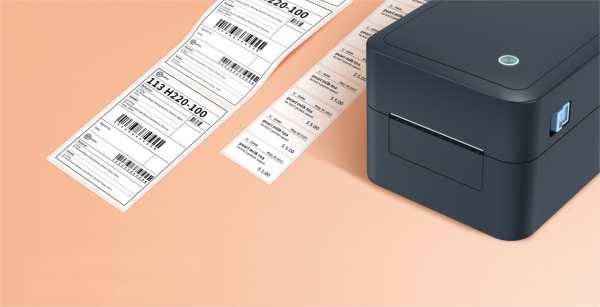
Barcode label skipping is a pervasive issue that disrupts warehouse, shipping, and retail operations. When a printer leaves blank spaces or prints intermittently, it causes immediate workflow delays and costly errors. This guide details the technical causes and provides a systematic approach to restore reliable printing.
Understanding the root cause—whether media, hardware, or software—is the first step to a permanent solution. We will examine each potential failure point and outline a clear diagnostic protocol.
Understanding Barcode Label Skipping and Its Impact
Label skipping refers to a printer's failure to correctly advance and print on consecutive labels. It is a feed problem where the printer's mechanism does not properly index the media, leading to missed prints. This is distinct from poor print quality; the issue is mechanical or sensor-based.
What Does "Label Skipping" Actually Look Like?
The symptoms are consistent. You may observe completely blank labels interspersed in a batch, a physical gap in the label sequence, or print jobs starting halfway down a label. In severe cases, the printer may seem to feed multiple labels at once or stop feeding altogether.
Why Skipping Labels is a Serious Operational Problem
Beyond mere frustration, these errors have direct business consequences. Unlabeled items cannot be scanned, leading to shipping errors, receiving delays, and inventory inaccuracies. The operational downtime spent troubleshooting and reprinting represents a significant loss in productivity and throughput.
Primary Culprit: Media and Label Stock Issues
In most cases, barcode label skipping issues originate with the physical media. The printer's sensors and drive mechanism are calibrated for specific label dimensions and material properties. Any deviation can cause misfeeds.
Incorrect Media Settings and Calibration
The printer driver must be configured to match the exact physical label. Key settings include label height, gap/notch size (for gap sensors), or mark distance (for black mark sensors). An incorrect setting, even by a millimeter, causes the sensor to misread the label start position, resulting in blank barcode labels printing or skipped labels.
Poor-Quality or Damaged Label Rolls
Low-quality labels have inconsistent adhesive, unevenly spaced gaps, or a warped liner. Damaged rolls with nicks, curls, or "boardy" liners prevent smooth travel through the print path. A bent core can also create uneven tension, leading to intermittent barcode label printing.
The Wrong Label Material for Your Printer
Printers are designed for specific media thicknesses and liner types. Excessively thick or stiff labels, or liners with low tensile strength, can overwhelm the platen roller's grip or the peel mechanism, causing the printer to skip labels. Always verify media specifications against printer capabilities.
Printer Mechanism and Maintenance Problems
Wear, contamination, and misalignment of physical components are common hardware-related causes for a barcode printer skipping labels.
Dirty or Worn-Out Printer Components
A dirty printhead or platen roller loses grip. Adhesive buildup, dust, and ribbon debris act as a lubricant, causing the media to slip. A worn platen roller becomes smooth and cannot pull the label stock consistently. A damaged peel bar can also catch and misalign labels.
Misaligned or Loose Media Guides
Media guides that are too tight create drag, while loose guides allow the roll to skew. Both conditions force the drive mechanism to work unevenly, leading to label feed problems in the barcode printer. The media should slide freely between the guides without lateral movement.
Worn-Out or Slipping Drive Mechanism
The motor and gear train that advance the media can wear over time. A weakened motor or stripped gears lose torque, failing to pull heavier label stocks reliably. This often manifests as increasingly frequent intermittent printing issues.
Software and Driver Configuration Errors
Digital misconfigurations between your design software, operating system, and printer firmware can instruct the printer to behave incorrectly.
Outdated or Corrupt Printer Drivers
Drivers act as the translation layer between your application and the printer hardware. Outdated or corrupt drivers may send incorrect feed commands. Always ensure you are using the latest manufacturer-provided driver for your specific operating system.
Incorrect Page Setup and Label Design File Errors
The label dimensions defined in your design software (e.g., Bartender, LabelVIEW) must perfectly match the physical label size configured in the printer driver. A mismatch, such as a design set for a 2-inch label while the driver is set for 4 inches, will cause the printer to attempt to print in the wrong areas, creating blanks.
A Step-by-Step Diagnostic and Fix Checklist
Follow this ordered procedure to isolate and resolve barcode label skipping issues efficiently.
Step 1: The Quick Clean and Recalibration
Power cycle the printer. Clean the printhead, platen roller, and sensors with isopropyl alcohol and a lint-free swab. Perform a full media and sensor calibration from the printer's front panel. Reload the label roll, ensuring it feeds smoothly from under the guides.
Step 2: Verify Media Settings and Label Design
Physically measure your label and gap/notch. Verify these exact dimensions are input in the printer driver properties (accessed via Windows Devices and Printers). Cross-reference these settings with the page layout in your label design software.
Step 3: Inspect Hardware and Consumables
Inspect the label roll for damage, core integrity, and adhesive bleed. Check the platen roller for smooth spots and the media guides for proper alignment. Look for worn gears or a loose drive belt inside the printer (consult your manual).
Step 4: Test and Isolate the Issue
Print a configuration or test label directly from the printer's front panel (bypassing the driver). If it feeds correctly, the issue is software-related. If it still skips, try a known high-quality label roll from a different batch. This isolates the problem to the media or the printer hardware.
Preventing Future Barcode Label Skipping Issues
Proactive maintenance and standardization prevent most feed problems before they impact operations.
Establishing a Routine Printer Maintenance Schedule
Implement a weekly cleaning of the printhead and platen roller. Schedule a monthly detailed inspection of rollers, guides, and the drive mechanism. Consistent maintenance is the most effective way to ensure long-term reliability and avoid barcode printer skipping labels.
Sourcing and Storing Label Stock Correctly
Purchase labels from reputable suppliers that specify compatibility. Store rolls vertically in a cool, dry, flat environment to prevent adhesive migration, curling, and moisture absorption that degrades liner quality.
Standardizing Templates and Printer Settings
Create and lock down approved label templates with correct dimensions. Save verified printer settings as a named preset in the driver. This eliminates configuration drift and user error, ensuring consistent output.
Key Takeaways for Reliable Barcode Printing
Barcode label skipping is typically a solvable problem with a logical root cause. A methodical approach that examines media, hardware, and software in sequence will identify the fault. Prioritize media calibration and printer cleanliness, as these are the most frequent culprits. Implementing disciplined maintenance and sourcing protocols is the best defense against future interruptions, ensuring your labeling operations run smoothly and accurately.
FAQ: Common Questions About Barcode Label Skipping
Why does my barcode printer print one label then skip the next?
This classic symptom usually points to incorrect media sensor calibration. The sensor is likely misreading the gap between labels, causing it to stop one label short. Recalibrate the sensor for your specific label stock.
Can using generic labels instead of brand-name ones cause skipping?
Yes. Generic labels often have less precise gap tolerances, inconsistent adhesive, and lower-quality liners. These variations can cause feed inconsistencies that high-precision printer sensors cannot accommodate.
I've calibrated my printer, but it's still skipping. What's next?
Proceed to hardware inspection. A worn platen roller is the next most likely cause. The roller loses grip and cannot pull the labels consistently, even with perfect calibration.
Is barcode label skipping a sign that I need a new printer?
Not usually. Skipping is most often a maintenance or consumable issue. Only after exhausting all troubleshooting—cleaning, recalibration, part replacement (like the platen roller), and testing with verified media—should printer replacement be considered.
Recent posts
Previous article
Continuous vs Gap Labels: A Guide to Barcode Printing Accuracy
Next article