Can You Use a Barcode Printer with an iPad? What You Need to Know
Walk into many modern retail stores, warehouses, or pop-up shops and you’ll notice something interesting: an iPad running the entire checkout or inventory system. It’s lightweight, fast, and surprisingly powerful. But that raises a practical question for many businesses:
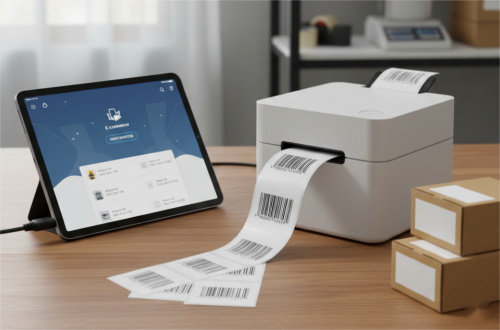
Can a barcode printer actually work with an iPad?
The short answer is yes — many barcode printers can work with an iPad, as long as they support compatible connection methods and printing software. The setup is usually straightforward, but there are a few things you need to know first.
How an iPad Connects to a Barcode Printer
Unlike laptops, iPads don’t have traditional USB ports for printers. Instead, barcode printers typically connect using one of these methods:
1. Bluetooth Connection
Many modern barcode printers support Bluetooth printing, which works well with iPads.
Here's how it usually works:
- Turn on the printer’s Bluetooth.
- Pair it with the iPad in Bluetooth settings.
- Print labels using a compatible app.
Bluetooth is popular for mobile retail, delivery services, and warehouse tasks, because it doesn’t require cables or complicated setups.
2. Wi-Fi Printing
Another common option is Wi-Fi connectivity.
In this setup:
- The barcode printer connects to the same Wi-Fi network as the iPad.
- A label printing app sends jobs to the printer.
This works especially well in environments like:
Retail stores
offices
shipping stations
Once everything is on the same network, printing labels becomes almost effortless.
3. Cloud Printing via Apps
Some businesses use cloud-based POS or inventory systems.
In these cases:
- The iPad sends the label request to software in the cloud.
- The software routes the job to the barcode printer.
Platforms like POS systems or inventory management apps often include built-in printing support.
This approach is common in modern retail setups, where the iPad acts as the central control device.
Do All Barcode Printers Work with iPad?
Not necessarily. Compatibility depends on three key factors.
Printer Connectivity
The printer must support:
• Bluetooth
• Wi-Fi
• or network printing
Older printers that rely only on USB may not work easily with an iPad.
Label Printing Software
iPads rely heavily on apps. You’ll need software that can generate and send barcode labels to the printer.
Common types include:
• POS apps
• shipping label apps
• barcode label design apps
Without compatible software, even a good printer can’t communicate properly with the iPad.
Printer Drivers or Protocols
Some barcode printers support common protocols like:
• AirPrint
• ESC/POS
• manufacturer mobile SDKs
These standards help iPads recognize the printer and send print commands correctly.
Best Use Cases for iPad Barcode Printing
Pairing a barcode printer with an iPad works especially well in these scenarios:
✅ Retail checkout counters
Stores often use iPads with POS systems to print price labels and product tags.
✅ Shipping stations
Small businesses print shipping barcodes directly from logistics apps.
✅ Warehouse inventory management
Staff can generate labels on the go using tablets.
✅ Pop-up stores or mobile sales
A portable printer plus an iPad makes a flexible setup.
It’s a clean, modern workflow that avoids bulky computers.
What Type of Barcode Printer Works Best with iPad?
For most businesses, the safest choice is a Bluetooth or Wi-Fi thermal barcode printer.
Thermal printers have several advantages:
• No ink cartridges required
• fast label printing
• lower operating cost
• reliable barcode clarity
Desktop thermal printers are ideal for offices and shipping stations, while mobile barcode printers are great for field operations.
Bottom Line
Yes, a barcode printer can absolutely work with an iPad — as long as the printer supports Bluetooth, Wi-Fi, or compatible printing apps.
For modern businesses that rely on mobile workflows, the combination of an iPad and a thermal barcode printer offers a simple and flexible solution. No bulky computers, no complicated setup — just fast label printing when you need it.
Choose the right printer, pair it properly, and your iPad can become a surprisingly powerful barcode printing station.
Recent posts
Previous article