Guide to Barcode Tool Tracking System
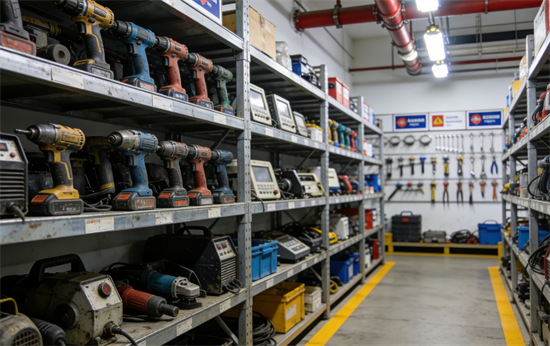
Lost tools and inefficient inventory checks cost businesses significant time and capital. A barcode tool tracking system provides a structured, digital method to manage physical assets. This guide explains how these systems function, their advantages, and how to implement one successfully.
What is a Barcode Tool Tracking System?
A barcode tool tracking system is a digital asset management solution that uses unique barcode labels, scanners, and software to monitor the location, status, and usage history of tools and equipment. It replaces manual logs and guesswork with a verifiable digital audit trail.
Core Components: Labels, Scanners, and Software
Three elements form the foundation of the system. Durable barcode labels are affixed to each asset. A scanner, which can be a dedicated handheld device or a smartphone with an app, reads these labels. Centralized software acts as the database, recording all scan events and user data.
How the Process Works: From Check-Out to Check-In
The workflow is straightforward. To check out a tool, an employee scans its barcode and their user ID. The software records the transaction, assigning responsibility. Upon return, another scan updates the tool's status to "in stock," completing the cycle and freeing it for the next user.
Key Benefits of Barcoding Your Tools
Implementing a barcode system addresses core operational inefficiencies. The primary benefits of barcoding tools include reduced loss, higher productivity, and better maintenance oversight.
Eliminate Loss and Theft
Assigning direct accountability for each tool drastically reduces misplacement. The digital log provides an instant history, showing who last had an item and when, discouraging casual loss and deterring theft.
Boost Productivity and Reduce Downtime
Employees spend less time searching for equipment. A quick scan reveals if a tool is available, in use, or due for return. This efficiency minimizes project delays and maximizes workforce utilization.
Improve Maintenance and Compliance
The software can track maintenance schedules, calibration due dates, and safety inspection cycles. Automated alerts ensure tools are serviced on time, supporting compliance with industry regulations and safety standards.
Barcode vs. RFID for Tool Tracking: Choosing the Right Technology
Selecting between barcode and RFID technology depends on specific operational needs and constraints. Each has distinct advantages for different scenarios.
How Barcode Systems Work (Pros and Cons)
Barcodes require a direct line of sight to be read by an optical scanner.
Pros: Very low cost per label, simple to implement, universally compatible, and easy for staff to understand.
Cons: Requires manual, item-by-item scanning. Labels can become dirty or damaged, preventing scans.
How RFID Systems Work (Pros and Cons)
RFID uses radio waves to read tags without a direct line of sight, allowing bulk scanning.
Pros: Can scan multiple tools simultaneously, even inside containers. Tags are generally more durable and can be read/written to.
Cons: Significantly higher cost per tag and for readers. More complex to set up and can experience interference in metal-heavy environments.
Decision Factors: Cost, Environment, and Scale
Choose barcodes for cost-effective tracking of a wide range of tools, especially where individual scanning is practical. Opt for RFID for high-value tools, in environments requiring rapid bulk audits, or where scanning individual items in storage is inefficient.
How to Implement a Barcode Tool Tracking System
A successful rollout of a tool tracking system requires careful planning. Follow this phased approach to ensure adoption and long-term value.
Phase 1: Audit, Plan, and Select Your Software
Begin by conducting a full physical inventory of all tools. Define clear goals for the system, such as reducing loss rates or streamlining checkout. Select software that meets these goals, prioritizing features like user-friendly interfaces, reporting, and mobile access.
Phase 2: Labeling Your Tools for Success
Select labels designed for your environment. For workshops, use polyester or metal foil labels with industrial-grade adhesive. Clean the application area thoroughly and apply labels to a flat, non-moving surface for longevity and consistent scanning.
Phase 3: Rollout, Training, and Ongoing Management
Launch with a pilot group to iron out processes. Train all users on the simple scan-in/scan-out procedure. Assign a system administrator to manage data, generate reports, and ensure the process is followed, making adjustments as needed.
Getting Started with Your Tool Tracking Journey
A barcode tool tracking system transforms asset management from a reactive burden into a proactive advantage. The initial investment in setup is quickly offset by recovered tools, saved labor hours, and improved operational control. Begin by auditing your current tool inventory and evaluating software options that scale with your needs. Implementing this system is a definitive step toward greater efficiency and accountability.
FAQ: Common Questions About Barcode Tool Tracking Systems
How much does it cost to set up a basic barcode tool tracking system?
Costs vary but can start modestly. You need software (monthly or perpetual license), a scanner (or smartphones), and labels. A basic system for a small team can often be initiated for a few hundred dollars.
What's the best type of barcode label for tools in a workshop or outdoor environment?
For harsh environments, use laminated polyester or anodized aluminum labels with permanent adhesive. These resist abrasion, moisture, solvents, and UV exposure, ensuring the barcode remains scannable.
Can I use a smartphone as a barcode scanner for tools?
Yes. Most modern smartphones can run barcode scanning apps that integrate with cloud-based tracking software. This reduces hardware costs, though dedicated scanners are often more rugged and have better battery life for all-day use.
How do I handle tracking tools that are checked out to a job site for weeks at a time?
The system should allow for long-term check-outs. The tool remains assigned to the user or project in the software. Implement periodic site audits where a supervisor scans all on-site tools to verify the digital record matches physical inventory.
Recent posts
Previous article