How Thermal Printer Mechanisms Power Airline Self Check-In Machines
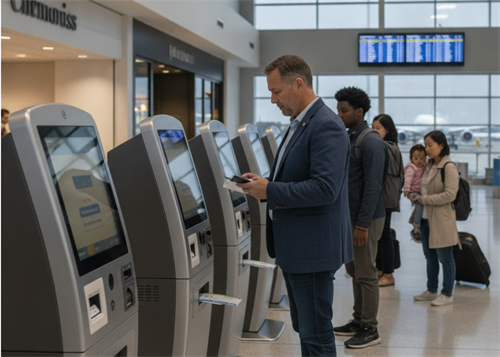
Airports run on tight timing. Passenger flow never really stops, sometimes it slows down, sometimes it rushes. Somewhere in that flow, self check-in kiosks keep things moving, printing boarding passes and baggage tags on demand.
Inside those kiosks, a small component handles the physical output part—the thermal printer mechanism. Most passengers never notice it, but the whole check-in process depends on it working properly.
Why Airlines Use Thermal Printers in Self Check-In Systems
Airports deal with high passenger density and limited processing time. Self check-in systems help reduce pressure on service counters, especially during peak travel hours.
Even with digital boarding passes becoming common, physical output still shows up in many cases. Boarding passes, baggage labels, sometimes confirmation slips. These need to come out quickly, without delay, and in large volume when traffic spikes.
Thermal printing fits into this environment quite naturally. No ink, no cartridges, fewer consumables to manage. That alone simplifies operations for airline infrastructure teams.
How a Self Check-In Kiosk Prints a Boarding Pass
The printing flow inside a kiosk usually follows a fixed sequence:
Check-in → Identity verification → Seat selection → Boarding pass generation → Print output
Once the passenger confirms details, the system passes structured data to the kiosk controller. That data includes passenger info, flight number, seat assignment, and barcode content.
From there, the thermal printer mechanism takes over.
It receives print instructions, then translates them into controlled heating signals across the printhead. Each dot activation corresponds to part of the boarding pass layout.
The output appears within seconds. Nothing complex from the user side, but under the hood, timing and synchronization matter quite a lot.
What Role the Thermal Printer Mechanism Plays Inside the Kiosk
Space inside a kiosk is limited, so most systems rely on compact embedded printer modules instead of standalone printers.
The mechanism usually sits as a self-contained unit, connected directly to the kiosk controller. It handles the physical output stage of the entire check-in workflow.
Typical responsibilities include:
· high-speed ticket or boarding pass printing
· barcode rendering for scanning at gates
· precise paper feeding, line by line
· coordination with kiosk software for real-time output
When this module runs smoothly, passengers barely notice it. When it slows down or jams, everything behind it feels it immediately.
Airports don't really tolerate delays here, so reliability tends to matter more than anything else.
What Makes Boarding Pass Printing Different From Standard Receipt Printing
At first glance, boarding passes and receipts look similar. Same thermal paper concept, same printing method. But operationally, they behave differently.
Airport systems deal with heavy bursts of traffic. A single kiosk might print hundreds of boarding passes in a short time window. That puts continuous load on the mechanism.
Then there's barcode readability. Boarding passes get scanned multiple times—check-in, security, boarding gates. If print contrast drops even slightly, scanning speed suffers or fails entirely.
Thermal mechanisms used here usually prioritize:
· stable output during long operating hours
· consistent barcode sharpness
· fast throughput during peak passenger flow
It's less about aesthetics, more about whether every scan point downstream accepts the output without friction.
Challenges in Airline Kiosk Printing Systems
Airport environments are not exactly gentle on hardware.
Continuous operation can lead to wear over time, especially on the printhead and paper feed components. During peak travel periods, kiosks may run almost non-stop for hours.
Space constraints inside the kiosk housing also make maintenance tricky. When a paper jam happens, technicians usually need quick access, otherwise the machine goes offline longer than it should.
Paper handling adds another layer. Boarding passes need clean cutting and accurate alignment. A small shift in feeding can lead to misaligned output, which later causes scanning issues at gates.
Because of this, modular thermal printer mechanisms are often preferred. They can be swapped or serviced faster compared to fully integrated units.
What the Future of Airline Self Check-In Printing Looks Like
Even with mobile boarding passes becoming more common, physical printing still stays relevant. Not every passenger uses mobile systems, and airports usually keep printed output as a fallback.
What's changing more is how these printers fit into the system.
Newer kiosk designs move toward:
· more compact embedded printer modules
· remote status monitoring of printing units
· predictive maintenance alerts before failures happen
· faster thermal mechanisms for high-density airports
The printer is slowly becoming less of a standalone device and more of a tightly embedded system component inside airport automation infrastructure.
Still, at the end of the process, something physical comes out of the machine. And that step still relies on thermal printing doing its job quietly in the background.
Recent posts
Previous article