Thermal Printer Mechanism Interface Guide: UART, RS-232, USB & GPIO
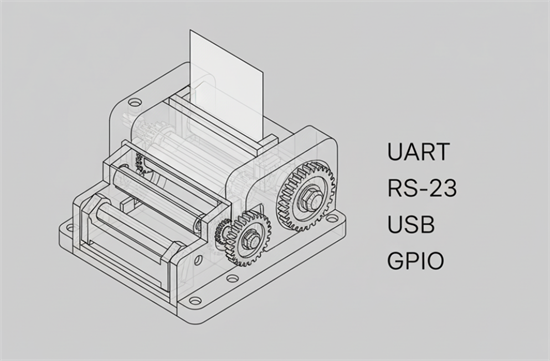
Thermal printer mechanisms are the hidden core of countless embedded devices—self-service kiosks, ticketing terminals, medical analyzers, vending machines, and mobile POS systems.
Yet one of the most overlooked design choices is also one of the most critical: the communication interface between the mechanism and the host controller.
For OEM designers and engineers, understanding UART, RS-232, USB, and GPIO is essential to ensure stable communication, safe electrical design, and smooth firmware integration.
Why Interfaces Matter in Embedded Thermal Printing
A thermal printer mechanism (or printer engine) is essentially a print head, paper feed motor, sensors, and control logic.
It doesn’t “talk” directly to your software—the data must flow through an interface handled by a microcontroller or CPU.
Choosing the right one affects:
• Communication stability and speed
• Noise immunity and cable length
• Integration cost and PCB layout
• Firmware complexity and driver support
UART (TTL Level Serial): The Embedded Default
What it is:
UART (Universal Asynchronous Receiver-Transmitter) is a simple serial protocol that transmits bits over TX and RX lines.
Most printer mechanisms expose UART pins at TTL levels (3.3 V or 5 V) for direct MCU connection.
Advantages:
• Minimal wiring (TX/RX/GND)
• Supported by nearly all MCUs
• Simple to debug with serial tools
Limitations:
• Short distance (under 1 m recommended)
• Sensitive to EMI and ground loops
• Voltage mismatch may damage components
Design Tips:
• Match logic levels or use a level-shifter.
• Keep TX/RX traces short and twisted with GND for noise immunity.
• Add a TVS diode or series resistor for ESD protection.
RS-232: Robust Serial for Industrial Environments
What it is:
RS-232 uses ±12 V signaling to achieve stronger noise resistance and longer cable reach (up to ~15 m).
Many printer engines or controller boards include RS-232 ports for integration with industrial PCs, PLCs, or payment systems.
Advantages:
• Reliable over long cables
• Tolerant of electrical noise
• Supported by legacy equipment
Limitations:
• Requires level conversion (e.g., MAX3232) if your MCU uses TTL
• Bulky connectors (DB9)
• Larger power consumption
Design Tips:
• Use shielded twisted-pair cables and ground both ends properly.
• If your application environment has motors or solenoids, RS-232 is often the safest serial option.
USB (Virtual COM or HID): When Host Systems Are Modern
What it is:
Some printer engines provide an onboard USB device interface.
Internally, these typically emulate a virtual COM port (CDC) or HID device, allowing direct connection to PCs, Android boxes, or SBCs.
Advantages:
• Plug-and-play for modern OSs
• Faster data throughput
• Simplifies firmware updates
Limitations:
• Cable length limited (~5 m)
• Sensitive to ground noise and power spikes
• USB current insufficient for motor drive
Design Tips:
• Use separate power input for the heater/motor; avoid powering the mechanism solely via USB.
• Provide ESD protection and proper cable shielding to prevent data dropouts.
GPIO: Direct Control and Status Feedback
What it is:
General-Purpose I/O pins on the mechanism or control board handle status signals and actuators—such as “paper out,” “cover open,” “cutter control,” or “busy.”
Advantages:
• Real-time response without serial latency
• Enables synchronization with external sensors
• Simple logic design
Limitations:
• Not for data transfer
• Needs electrical isolation for safety
Design Tips:
• Use optocouplers or transistor buffers for driving solenoids or external LEDs.
• Implement pull-ups for open-collector outputs.
• Logically invert signals as needed—many GPIO lines are active-low.
Choosing the Right Interface for Your Design
Application Scenario | Recommended Interface | Key Reason | |
Compact embedded board or MCU control | UART | Simple, low power | |
Industrial kiosk or POS terminal | RS-232 | Noise-resistant and long cable | |
PC or Android-based system | USB | Plug-and-play, driver ready | |
Custom automation / real-time control | UART + GPIO | Fast feedback and flexibility | |
Rule of thumb:
• UART = simplest hardware
• RS-232 = most robust for EMI
• USB = easiest for modern OS
• GPIO = best for auxiliary control
Integration Checklist for OEM Engineers
Before sending your design to production, verify these essentials:
Signal voltage levels match host logic (3.3 V, 5 V, ±12 V)
✅ Cable length and shielding comply with EMI limits
✅ Grounding scheme avoids loops between host and printer
✅ ESD and surge protection on all data lines
✅ Firmware supports required command set (ESC/POS, TSPL, ZPL, etc.)
✅ Independent power line for the heater and motor
The Next Generation of Embedded Printer Interfaces
As embedded devices evolve, many manufacturers now offer combo interfaces (UART + USB + GPIO) on the same module.
Emerging options such as RS-485, Ethernet, and wireless modules (Bluetooth, Wi-Fi) are also appearing for networked or cloud-connected systems.
Still, UART and RS-232 remain the engineering foundation—they’re simple, deterministic, and easy to debug when every millisecond counts.
Key Takeaway
Selecting the right interface for your thermal printer mechanism isn’t about plug types—it’s about ensuring signal integrity, firmware compatibility, and long-term reliability.
Start with your host environment, map your electrical constraints, and design your integration around stable, proven interfaces.
That’s how embedded printers achieve industrial-grade performance inside even the smallest machines.