Handheld Barcode Label Printers: Definition, Use Cases, and Selection Guide
What Is a Handheld Barcode Label Printer?
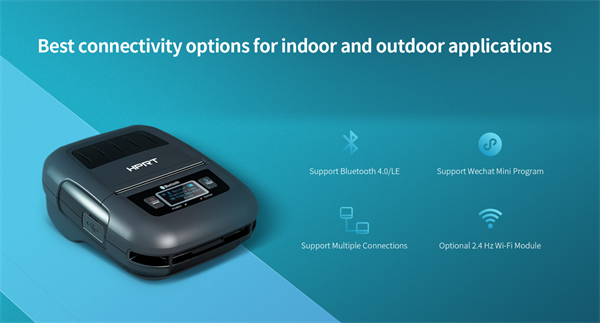
A handheld barcode label printer (often called a mobile printer) is a portable device designed to generate labels directly at the point of work. Instead of tethering workers to a fixed desk, these battery-powered units allow users to print on-demand labels inside warehouses, retail floors, or in the field.
Unlike stationary desktop models, handheld printers prioritize mobility. They typically connect wirelessly (Bluetooth or Wi-Fi) to smartphones, tablets, or handheld terminals, enabling seamless printing anywhere a worker goes.
The Core Function: Mobility vs. Production
In practice, "handheld" defines the workflow, not just the hardware size.
Key characteristics include:
✔️ Portability: Worn on a belt or carried via strap.
✔️ Wireless Connectivity: Prints from mobile apps or ERP systems instantly.
✔️ Proximity: Labels are applied seconds after printing, reducing errors.
Strategic Insight: Handheld printers solve mobility and efficiency problems, not high-volume production challenges. They are tools for agility, eliminating the wasted motion of walking back and forth to a centralized station.
Key Use Cases: When to Go Mobile
Handheld printers deliver ROI in workflows requiring intermittent, distributed labeling:
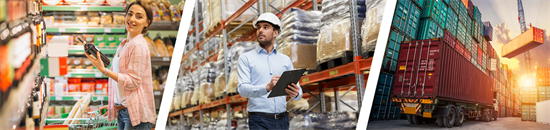
• Warehouse Operations: Essential for inventory cycle counting, shelf-edge relabeling, and picking/packing without leaving the aisle.
• Logistics & Cross-Docking: Workers can generate shipping or routing labels instantly at temporary consolidation points.
• Retail Floor Management: Staff can execute price markdowns and shelf-tag updates immediately in front of customers.
• Field Service: Technicians can print asset tags or service receipts on-site, independent of an office.
Comparison: Handheld vs. Desktop Label Printers
Choosing the right device depends on your operational constraints.
Feature | Handheld Barcode Label Printer | Desktop Barcode Label Printer |
Mobility | High | None |
Setup | Minimal | Requires fixed workstation |
Print Volume | Low to medium | Medium to high |
Best For | On-site, distributed tasks | Centralized labeling |
Verdict: If your labels are printed in batches at a desk, use a desktop printer. If the label needs to follow the worker, choose handheld.
Technology: Why Direct Thermal Dominates
Most handheld barcode printers utilize Direct Thermal technology.
• Pros: No ribbons required, lightweight, lower maintenance.
• Best For: Shipping labels, pick tickets, and short-term inventory tags.
Thermal Transfer (using ribbons) is rare in handhelds due to bulk and complexity. It is reserved for stationary setups requiring long-lifespan labels.
Who Should AVOID Handheld Printers?
Do not deploy handheld printers if:
• High Volume: You print thousands of labels daily in one batch.
• Fixed Location: The workflow occurs at a packing bench or desk.
• Extreme Durability: You require specialized synthetic labels that demand thermal transfer ribbons.
Final Takeaway
Handheld barcode label printers optimize efficiency by bringing the printer to the product. They are the ideal solution for decentralized, on-the-go workflows. However, for high-volume, centralized labeling, a traditional desktop printer remains the superior, cost-effective choice.