Why Barcodes Don’t Scan Properly: Printing vs Scanning Root Causes
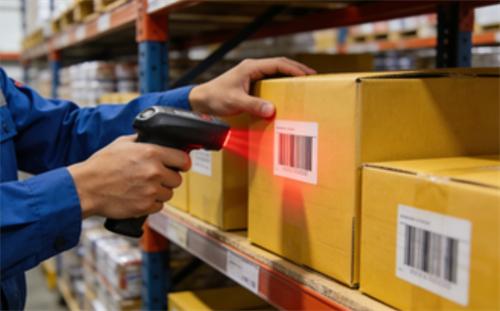
When a barcode won't scan, it halts operations, frustrates users, and costs time. The root of these barcode scanning problems often lies in a silent tug-of-war between the quality of the printed symbol and the capability of the scanning device. Understanding this conflict is the first step to a permanent fix.
This guide breaks down the common causes of barcode failures into two clear categories: printing issues and scanning issues. You'll learn how to identify which is at fault and implement solutions for reliable, first-time-right scans.
The Barcode Scanning Ecosystem: How It's Supposed to Work
To troubleshoot a failure, you need to know how a successful scan works. A barcode is a physical, optical representation of data. A scanner's job is to capture that image and translate it back into digital information.
The Simple Goal: From Symbol to Digital Data
A scanner emits light onto the barcode. The dark bars absorb light, and the light spaces reflect it back. A sensor captures this pattern of reflection, and a decoder translates the pattern into the numbers or letters the barcode represents. Any break in this chain causes a scan failure.
The Two Critical Partners: Printer and Scanner
Think of a successful scan as a handshake. The printer must produce a perfect, scannable symbol. The barcode scanner must be capable of reading it in its environment. A failure is a system failure, implicating one or both partners.
Root Cause #1: Printing Problems That Ruin Readability
Most persistent barcode scanning problems originate here. A scanner can only read what the printer produces. Flaws in the physical barcode are often the primary culprit behind barcode not scanning causes.
Poor Print Quality: Quiet Zones, Contrast, and Edge Sharpness
Three print attributes are non-negotiable:
Quiet Zones: The clear margins before and after the barcode. If text or graphics encroach, the scanner can't find the start and end points.
Contrast: High contrast between bars and spaces is critical. Red bars on a pink background or printing on a reflective surface kills contrast.
Edge Sharpness: Bars must have clean, sharp edges. Smudged, fuzzy, or "bleeding" bars confuse the scanner's measurement.
Substrate and Material Challenges
The surface you print on matters. Corrugated cardboard can create valleys that distort bars. Glossy labels create glare. Wrinkled or torn labels present an unreadable surface. These printing barcode readability issues turn a good design into a bad scan.
Printer & Ribbon Issues: Resolution, Wear, and Calibration
Technical printer failures are common. Using a low-DPI printer for a dense barcode results in indistinct bars. A worn print head creates faint, uneven lines. An incorrect ribbon (e.g., using wax instead of resin for a durable label) leads to smudging. Poor calibration causes bars to print too thick or too thin.
Root Cause #2: Scanner and Environmental Issues
If your barcode looks perfect but still fails, the problem likely lies with the reader or its surroundings. Effective barcode scanner troubleshooting must account for these factors.
Scanner Type & Capability Mismatch
Not all scanners read all codes. A simple laser scanner might not read a 2D QR code. A short-range scanner can't read a pallet label from 20 feet away. Using the wrong tool for the job is a direct path to poor barcode scan quality reasons.
Damaged, Dirty, or Misconfigured Hardware
A dirty scanner window or a cracked lens is a common, overlooked issue. Similarly, a scanner configured for Code 128 will not read a UPC code. Always check the physical state and settings of your hardware.
Environmental Interference: Light, Angle, and Motion
Direct sunlight or bright overhead lights can wash out a barcode. Scanning at a severe angle distorts the symbol. Trying to scan a moving item too quickly creates motion blur. The environment is part of the scanning system.
Systematic Troubleshooting: Is It the Print or the Scan?
Don't guess. Follow this logical process to pinpoint the exact cause of your barcode scanning problems.
The "Multiple Scanner" Test
Try scanning the problematic barcode with two or three different scanners. If they all fail, the issue is almost certainly with the printed symbol. If only one scanner fails, the problem is isolated to that device.
The "Verifier" vs. "Scanner" Distinction
A scanner's job is to "read" the data, even from a poor-quality barcode. A verifier's job is to "grade" the symbol's quality against industry standards (like ISO/IEC 15416). A barcode that scans but fails verification is a ticking time bomb—it will fail on other scanners or as it degrades.
Inspecting the Physical Barcode
Do a visual check with a magnifying glass if needed. Look for:
Clear, unobstructed quiet zones.
High contrast with no reflections.
Sharp, unsmudged bar edges.
No scratches, wrinkles, or tears.
This simple inspection often reveals obvious barcode printing vs scanning issues.
Proactive Prevention: Best Practices for Reliable Barcodes
Shift from reactive fixes to a first-time-right approach. Preventing barcode scanning problems is more efficient than solving them.
Design and Specification Standards
Always design barcodes to ISO/ANSI standards for size, color, and quiet zones. Use professional barcode generation software, not standard word processors or graphic design tools.
Printer Maintenance and Material Selection
Implement a schedule for cleaning print heads. Match your label material and ribbon type (wax, wax-resin, resin) to the label's end-use environment. Periodically test print quality with a verifier.
Scanner Care and Optimal Deployment
Clean scanner windows daily. Mount fixed scanners at the correct angle and distance to avoid glare. Train users on proper scanning technique: holding the scanner perpendicular to the label at the correct focal distance.
Key Takeaways for Solving Barcode Scanning Problems
Barcode failures are rarely mysterious. They stem from identifiable issues in printing or scanning. By understanding the ecosystem, methodically testing to isolate the root cause, and implementing proactive quality controls, you can eliminate the vast majority of barcode scanning problems. Reliable scanning is not luck—it's the result of managing both sides of the print-scan partnership.
FAQ: Common Barcode Scanning Problems Answered
What is the most common reason a barcode won't scan?
Poor print quality, specifically low contrast between bars and spaces or insufficient quiet zones, is the most frequent cause.
Can a barcode be too small to scan?
Yes. If a barcode is printed below the minimum size (X-dimension) for its symbology, the scanner's sensor cannot resolve the narrow bars, causing a read failure.
Why does my barcode scan sometimes but not always?
Intermittent scans are a classic sign of a low-quality barcode that is barely within the scanner's tolerance. Variations in scanning angle, lighting, or minor symbol damage cause it to fail unpredictably.
What's the difference between a barcode scanner and a verifier?
A scanner simply reads the data. A verifier analyzes the barcode's physical quality (contrast, edge sharpness, etc.) and assigns a grade, predicting its reliability across different scanners and over time.
How can I test my barcode quality without expensive equipment?
Use the "multiple scanner" test. Also, print a sample and view it under magnification to check for sharp edges and clean quiet zones. For a basic contrast check, a black-and-white photocopy of a color label can reveal if contrast is sufficient.
Recent posts
Previous article