Barcode Printer SDK vs Driver: What’s the Difference?
Barcode printing is no longer limited to a desktop computer sending a simple print job. In warehouses, retail systems, mobile apps, and ERP/WMS platforms, barcode printers often need to communicate directly with business software.
This is where many teams face a key decision: should they rely on a standard printer driver, or integrate printing through a barcode printer SDK? A driver is usually enough for basic label printing, while an SDK gives developers deeper control over printer functions, automation, and system integration.
Understanding this difference helps businesses choose the right printing architecture before deployment costs, compatibility issues, or workflow limitations become difficult to fix.
What Is a Barcode Printer Driver?
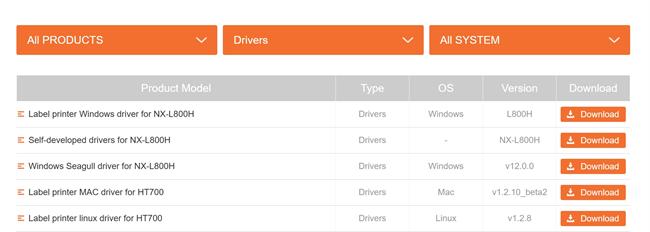
A barcode printer driver is software that allows the operating system to communicate with the printer.
It acts as a translation layer between:
• Windows
· macOS
· Linux
· POS systems
· applications
and the barcode printer hardware.
Without a driver, the computer usually cannot recognize or properly control the printer.
Most barcode printers use drivers for:
· standard label printing
· shipping labels
· PDF printing
· desktop applications
· office environments
Common driver-supported printers include:
· USB barcode printers
· Ethernet network printers
· Wi-Fi barcode printers
How a Barcode Printer Driver Works
A printer driver converts print commands into a language the printer understands.
For example:
Application Action | Driver Translation |
Print shipping label | Convert to ZPL/TSPL/EPL |
Set label size | Configure printer media settings |
Print barcode | Generate printer-readable commands |
Change darkness | Send printer control instructions |
The driver handles most low-level communication automatically.
This simplifies printing for normal business users.
Advantages of Barcode Printer Drivers
Easy Setup
Drivers are usually simple to install through:
· manufacturer software
· Windows Plug-and-Play
· standard operating system tools
Compatible with Standard Applications
Drivers work well with:
· Microsoft Word
· PDF software
· shipping platforms
· ERP print modules
· ecommerce platforms
Lower Technical Complexity
Most users can print labels without writing code.
This reduces deployment difficulty for small businesses.
Good for General Printing
Drivers are ideal for:
· office label printing
· shipping labels
· retail barcode labels
· desktop workflows
Limitations of Barcode Printer Drivers
Although drivers are convenient, they have limitations in advanced environments.
Limited Printer Control
Drivers may not expose advanced printer functions such as:
· RFID encoding
· sensor control
· cutter configuration
· printhead diagnostics
· real-time status monitoring
OS Dependency
Many drivers are platform-specific.
Some printers may support:
· Windows only
· limited macOS support
· incomplete Linux compatibility
Difficult Automation
Drivers are less flexible for:
· warehouse automation
· industrial systems
· embedded devices
· cloud printing
· large-scale integration
What Is a Barcode Printer SDK?
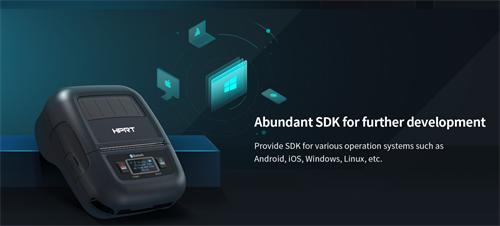
A barcode printer SDK (Software Development Kit) is a collection of programming tools that allows developers to integrate barcode printing directly into software applications.
An SDK typically includes:
· APIs
· code libraries
· sample projects
· documentation
· printer communication tools
Instead of relying on standard print dialogs, developers can control the printer programmatically.
What Can a Barcode Printer SDK Do?
SDKs allow applications to directly manage printer functions such as:
· barcode generation
· label formatting
· printer discovery
· wireless communication
· RFID encoding
· print queue management
· printer status monitoring
Advanced SDKs may also support:
· Android printing
· iOS printing
· Bluetooth communication
· cloud printing
· remote printer management
Advantages of Barcode Printer SDKs
Full Printer Control
SDKs provide direct access to advanced printer capabilities.
Developers can customize:
· label positioning
· barcode rendering
· print speed
· darkness
· media handling
· RFID settings
Better for Enterprise Systems
SDKs are commonly used in:
· WMS systems
· ERP platforms
· warehouse automation
· industrial control systems
· logistics software
· mobile applications
Cross-Platform Development
Many modern SDKs support:
· Windows
· Linux
· Android
· iOS
· embedded systems
This improves deployment flexibility.
Automation and Scalability
SDKs are ideal for:
· automated labeling
· batch printing
· cloud workflows
· API-based systems
· high-volume operations
Limitations of Barcode Printer SDKs
Requires Development Resources
SDK integration usually requires:
· software developers
· coding knowledge
· API integration
· testing
This increases project complexity.
Longer Deployment Time
Compared with drivers, SDK integration often takes more time to implement properly.
Vendor-Specific APIs
Some SDKs only work with specific printer brands or printer languages.
Migrating between vendors may require additional development work.
Barcode Printer SDK vs Driver: Key Differences
Feature | Printer Driver | Printer SDK |
Main Purpose | Standard printing | Software integration |
Requires Coding | No | Yes |
Ease of Setup | Easy | Moderate to Advanced |
Printer Control | Limited | Extensive |
Automation Support | Basic | Advanced |
Mobile App Integration | Limited | Strong |
Industrial Integration | Moderate | Excellent |
Cross-Platform Support | Limited | Better |
Best For | General users | Developers & enterprise systems |
When Should You Use a Printer Driver?
A barcode printer driver is usually the best choice when:
· printing from desktop software
· using shipping platforms
· printing standard labels
· technical resources are limited
· no custom development is required
Typical examples include:
· ecommerce shipping labels
· office barcode printing
· retail labeling
· simple warehouse operations
When Should You Use a Barcode Printer SDK?
A barcode printer SDK is usually better when:
· building custom software
· integrating with ERP/WMS systems
· developing mobile printing apps
· managing large printer fleets
· automating industrial workflows
Typical examples include:
· warehouse automation
· Android handheld terminals
· logistics systems
· cloud printing platforms
· manufacturing systems
Can You Use Both a Driver and SDK Together?
Yes. Many enterprise environments use both.
For example:
Scenario | Solution |
Office shipping labels | Printer driver |
Warehouse automation | SDK |
Mobile inventory app | SDK |
Desktop label printing | Driver |
Some SDKs also communicate through installed drivers depending on the architecture.
SDK vs Direct Printer Language Programming
Some developers bypass both drivers and SDKs by sending raw printer commands directly.
Common barcode printer languages include:
· ZPL
· TSPL
· EPL
· ESC/POS
Direct programming provides maximum control but increases development complexity.
SDKs simplify this process by abstracting many low-level commands.
Common Barcode Printer SDK Features
Modern barcode printer SDKs often include:
Feature | Purpose |
Device discovery | Find printers on network |
Bluetooth pairing | Mobile printing |
Label templates | Faster deployment |
Barcode generation | QR, Code128, DataMatrix |
Printer status monitoring | Error handling |
Firmware management | Device maintenance |
Cloud connectivity | Remote printing |
How to Choose Between a Barcode Printer SDK and Driver
The best choice depends on your technical requirements.
Choose a Driver If:
· you need fast deployment
· printing is relatively simple
· desktop applications are sufficient
· users are non-technical
Choose an SDK If:
· you need custom workflows
· mobile apps are involved
· automation is important
· enterprise integration is required
· advanced printer control is necessary
Frequently Asked Questions
Is a barcode printer driver the same as an SDK?
No. A driver helps the operating system communicate with the printer, while an SDK allows developers to integrate printing directly into software applications.
Do I need an SDK to print barcode labels?
Not always. Many businesses can print labels using standard drivers and desktop software.
Why do enterprise systems prefer SDKs?
SDKs provide better automation, deeper printer control, mobile support, and easier integration with ERP, WMS, and industrial systems.
Can barcode printer SDKs work without drivers?
Some SDKs communicate directly with printers through USB, Bluetooth, Wi-Fi, or network protocols without requiring traditional drivers.
Final Thoughts
Barcode printer drivers and SDKs solve different problems.
Drivers are designed for simple and standard printing workflows, while SDKs support deeper software integration, automation, and enterprise-scale control.
In modern logistics, warehousing, retail, and manufacturing environments, SDKs are becoming increasingly important as businesses move toward:
· mobile workflows
· cloud printing
· industrial automation
· real-time inventory systems
· integrated warehouse platforms
Understanding the difference between a barcode printer SDK and a driver helps businesses choose the right architecture for long-term scalability and operational efficiency.