Guide to Thermal Printer Mechanisms & Modules for Kiosks & Self-Service Terminals
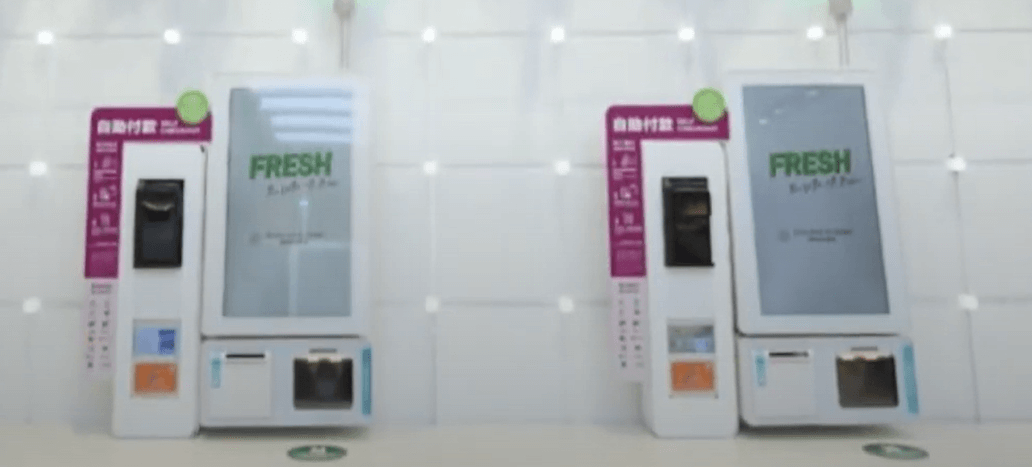 Designing a vending machine or payment kiosk? You’ve got a lot on your plate—hardware, UX, connectivity. Printing probably feels secondary… until it breaks. A jammed receipt, a faded ticket, or a roll that runs out too soon can frustrate users and hurt trust. That’s why thermal printer mechanisms and modules deserves more attention—right from the start.
In this article, you’ll learn what to look for, what to avoid, and how to integrate the right printing solution into your next vending or payment project.
Why Thermal Printing Is the Go-To for Kiosks & Self-service Terminals
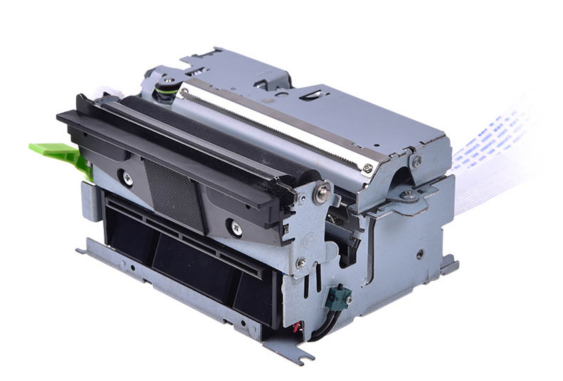
Self-service machines—whether transit kiosks, vending machines, food lockers, or payment terminals—need printers that are fast, compact, quiet, and low-maintenance. That’s why most kiosk device developers use thermal printer modules instead of inkjet or dot-matrix systems. No ink cartridges. No ribbons. Just heat, paper, and reliability.
With no ink cartridges to deal with and fewer moving parts, thermal printers are ideal for unattended environments. Whether you're printing a receipt, barcode ticket, or promotional QR code, thermal printing gets the job done—cleanly and reliably.
Thermal Printer Mechanism vs. Module: What’s the Difference?
If you’re integrating a printer into a kiosk or terminal, you’ll come across two options:
● Thermal printer mechanism: This is the core printing engine—just the thermal head, motor, platen roller, sensors, and frame. No control board. No interface. It offers full design flexibility but requires more work on your side.
● Thermal printer module: A plug-and-play assembly that includes the mechanism plus control board, interface (USB, RS232, TTL), and often a built-in cutter or paper holder. Ideal when time-to-market and ease of integration are priorities.
Choosing between a mechanism and a module depends on your project's complexity, budget, and available engineering resources.
Learn more: Thermal Printer Mechanism vs Module
What to Look for in Thermal Printer Mechanisms and Kiosk Printers
Choosing the right thermal printer mechanism or kiosk printer—whether for a vending machine, payment terminal, or self-service station—comes down to balancing size, speed, and long-term reliability. Here's what to focus on:
1. Compact Design
Space is always tight inside machines. Whether you’re embedding a kiosk receipt printer in a slim payment terminal or adding a label printer to a coffee vending unit, the printer must fit into constrained layouts.
Look for:
● Front or side paper loading
● Short paper paths to reduce jams
● Optional thermal printer modules with integrated cutter for space-saving
2. Fast, Quiet, Reliable
Speed matters in high-traffic areas. No one wants to wait for a ticket to print at a train station kiosk.
Look for:
● Print speeds of 150mm/s or higher
● Low-noise operation
● High MTBF (mean time between failures) ratings
3. Power Efficiency
Most vending systems operate on strict power budgets. Efficient thermal printer mechanisms for kiosks can reduce energy draw and help meet thermal performance goals.
Choose:
● 5V/24V power options based on your board design
● Mechanisms with automatic sleep/wake features
Real Use Cases for Embedded Thermal Printer Mechanisms & Modules
Thermal printer mechanisms & modules are ubiquitous. You'll find them everywhere from self-service restaurant kiosks and retail vending machines to arcade games and hospital self-checkout terminals. Let's take a look at a few examples.
1. Self-Checkout Machines in Retail
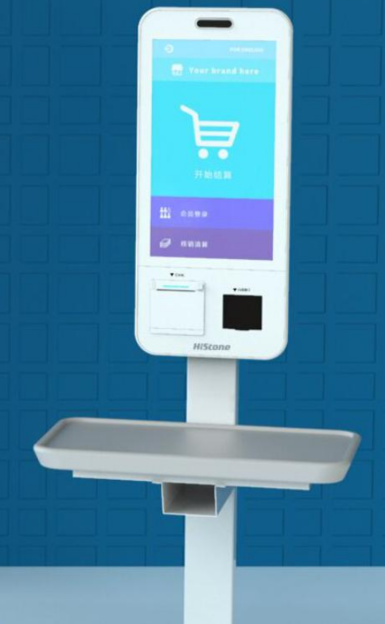
Retail self-checkout machines often rely on 3-inch kiosk thermal receipt printer to issue full-width receipts quickly and clearly. These thermal printer modules use 80mm paper rolls, offering ample space for detailed item lists, logos, QR codes for promotions, or multilingual instructions. The built-in auto cutter ensures clean receipt delivery—minimizing jams and keeping the checkout process smooth during peak hours.
2. Android Handheld POS Terminal
Compact, durable 2-inch thermal printer mechanisms can be built into Android handheld POS terminals for on-the-spot receipt printing. In restaurants, staff can carry these devices to take orders, process payments, and instantly print 58mm receipts—speeding up service and reducing customer wait times.
3. Ticket Dispensers
Transport or parking kiosks require high-speed printing with minimal maintenance. Here, a high-duty thermal printer module with black mark sensing and large roll capacity can ensure uninterrupted service.
Integration Tips for Thermal Printers and Mechanisms
To avoid field issues later on, consider these hardware integration tips:
● Check paper type compatibility early. Some applications require label stock or black mark paper.
● Secure the printer firmly. Vibration in vending machines can affect print quality.
● Plan for accessibility. Design for easy maintenance—techs should be able to swap rolls or clear cutters quickly.
● Evaluate firmware support. Ensure your printer’s control board supports your communication protocol (ESC/POS, CPCL, custom).
Future Trends in Kiosk & Self-Service Thermal Printing
The demand for unattended machines is rising—think smart lockers, unattended retail, EV charging stations. And every one of them may need a printer.
As these industries evolve, we’re seeing:
● More interest in modular thermal printer kits that speed up development
● Growing use of IoT-connected printer modules for real-time monitoring
● Emphasis on printhead lifespan and low maintenance cycles in high-volume applications
Choose wisely—your thermal printer mechanism or module affects reliability, speed, and user satisfaction. A smart choice today means fewer issues, smoother integration, and less downtime tomorrow.
Recent posts
Next article