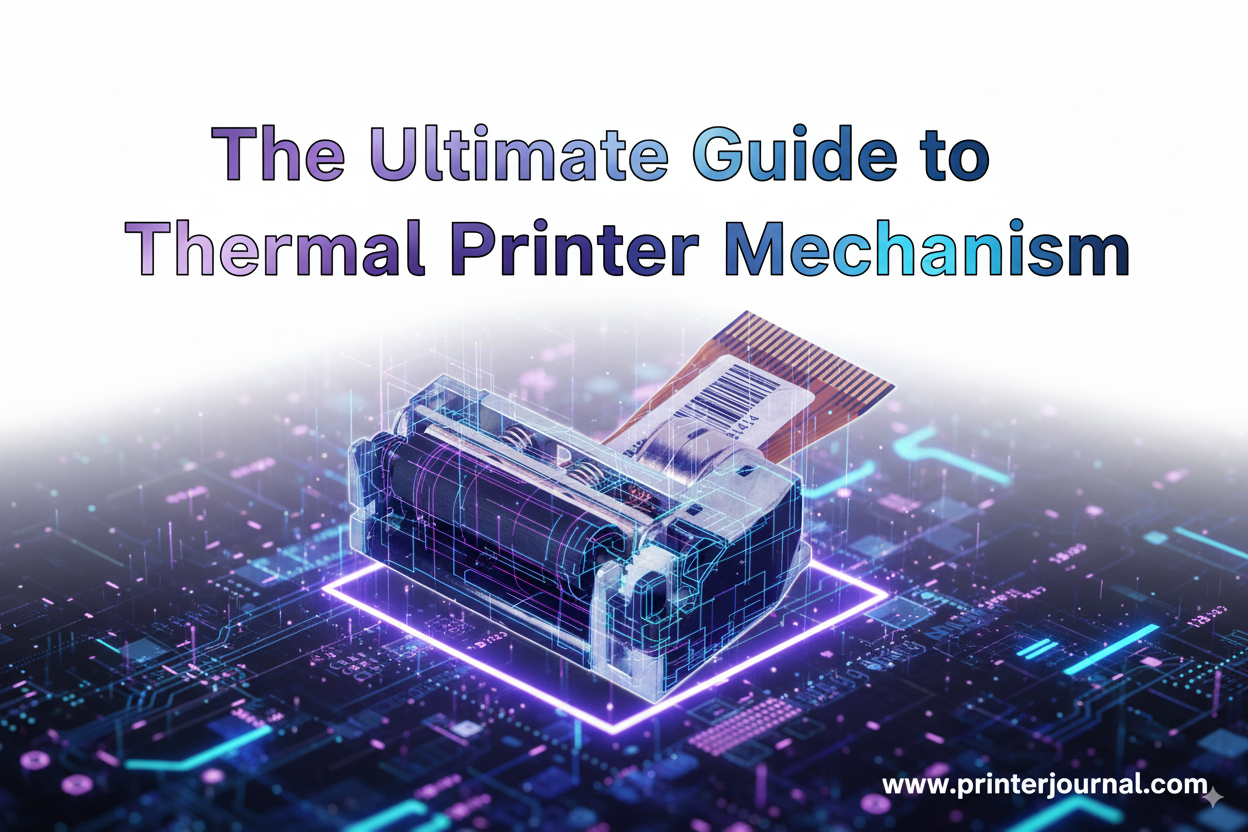
In countless devices we interact with daily - from the receipt printer at a supermarket to a self-service kiosk issuing a ticket - a sophisticated piece of engineering is working silently and efficiently. This core component is the thermal printer mechanism. For engineers, product designers, and system integrators, understanding and selecting the right mechanism is a critical decision that impacts a product's reliability, performance, and user experience.
How Do Thermal Printer Mechanisms Work?
At its heart, a thermal printer mechanism uses heat to create an image on paper. The process is elegant in its simplicity.
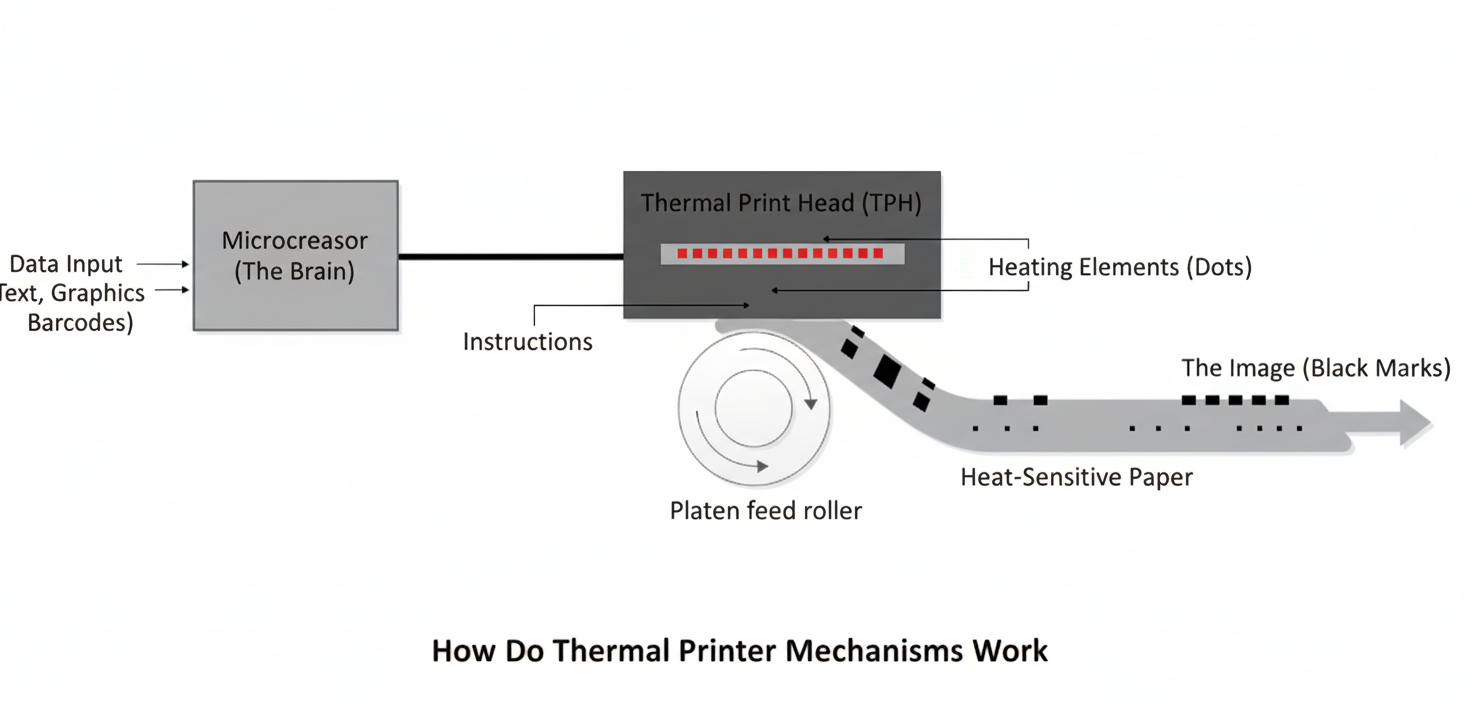
The Brain
A microprocessor receives data (text, graphics, barcodes) and translates it into instructions for the print head.
The Heat
The core of the operation is the Thermal Print Head (TPH), a linear array of hundreds of tiny heating elements (dots).
The Transfer
The TPH is pressed against special heat-sensitive (thermochromic) paper. The microprocessor selectively heats specific dots on the TPH for a fraction of a second.
The Image
Where the paper is heated, it undergoes a chemical reaction and turns black, forming the desired characters or images. A rubber roller, called a platen, moves the paper forward precisely as the TPH creates the image line by line.
The result is a fast, quiet, and high-resolution print without the need for ink, toner, or ribbons.
Key Components of a Thermal Printer Mechanism
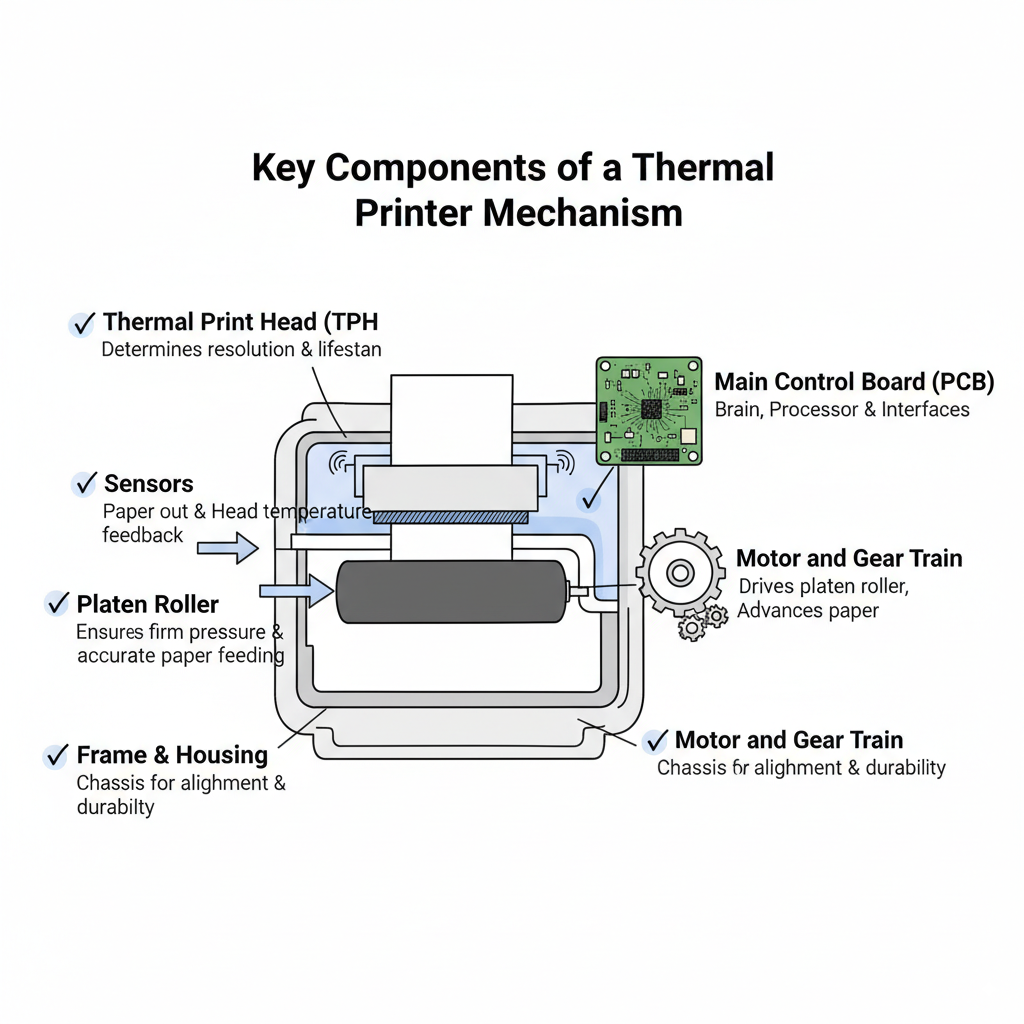
To truly understand these devices, let's break down their essential parts:
- Thermal Print Head (TPH): The most critical and delicate component. Its quality determines the print resolution (measured in dots per inch or dots/mm) and the mechanism's lifespan.
- Platen Roller: A durable rubber roller that applies firm, even pressure against the TPH, ensuring clean heat transfer and feeding the paper accurately.
- Main Control Board (PCB): The mechanism's brain. It houses the processor, memory, and interfaces (e.g., USB, Serial/RS-232) and interprets printing commands like ESC/POS.
- Motor and Gear Train: A stepper motor that drives the platen roller with high precision to advance the paper.
- Sensors: These provide crucial feedback. Common sensors include: Paper Out Sensor, Head Temperature Sensor (Thermistor), Black Mark Sensor, and Platen Open Sensor.
- Frame & Housing: The mechanical chassis that holds all components together, ensuring precise alignment and durability.
Direct Thermal vs. Thermal Transfer
While both use heat, there is a fundamental difference between the two main types of thermal printing technologies.
| Feature | Direct Thermal | Thermal Transfer |
|---|---|---|
| How it Works | TPH directly heats special thermochromic paper. | TPH heats a wax or resin-based ribbon, which melts onto the media. |
| Media | Heat-sensitive paper only. | Plain paper, polyester, polypropylene, and other durable materials. |
| Pros | - Simpler design (no ribbon) - Lower operational cost - Easy to maintain | - Extremely durable, long-lasting prints - Resistant to heat, sunlight, and abrasion - Can print in color (with colored ribbons) |
| Cons | - Prints can fade over time - Sensitive to heat and UV light | - More complex (requires ribbon) - Higher cost per print - Ribbon roll needs replacement |
When to Choose Which?
Direct Thermal is perfect for applications where longevity is not the primary concern, such as receipts, event tickets, and shipping labels. Thermal Transfer is the go-to choice for asset tracking, product identification, lab samples, and any application requiring a print that must last for years.
For instance, most embedded mechanisms, like the popular PT48 series, utilize direct thermal printing for its simplicity in receipt and ticketing applications. On the other hand, for projects requiring maximum flexibility, advanced solutions like the TS-300M Label Printer Module support both Direct Thermal and Thermal Transfer methods, making them ideal for durable, long-life labeling needs.
How to Choose the Right Thermal Printer Mechanism
Selecting a mechanism involves balancing performance, cost, and integration requirements. Use this checklist to guide your decision.
Print Width
Does your application require 1", 2", 3", or 4" output? This is the first and most fundamental decision.
Resolution (DPI)
For standard text and receipts, 203 DPI (8 dots/mm) is sufficient. For high-quality graphics, logos, or small 2D barcodes, a 300 DPI mechanism might be necessary.
Print Speed (mm/s)
How quickly do you need the output? A busy kiosk needs a high-speed printer (200-300mm/s), while a portable device may only need 50-90mm/s.
Durability & Reliability (TPH Lifespan)
This is critical for TCO (Total Cost of Ownership). Look for clear specifications on the TPH lifespan, measured in Pulse Activation (e.g., 100 million pulses) and Abrasion Resistance (e.g., 50km or 100km of printing).
Integration & Connectivity
- Physical Dimensions: Will it fit in your enclosure?
- Interface: Do you need Serial (RS-232/TTL), USB, or a parallel interface?
- Voltage: Ensure the mechanism’s power requirements (e.g., 5V, 12V, 24V) match your system’s power supply.
- Command Set: Is it compatible with standard command sets like ESC/POS?
Paper Path
Is a straight or curved paper path better for your design? This affects how paper is loaded and presented.
Ensuring Longevity: Maintenance and Troubleshooting
Thermal printer mechanisms are known for their reliability, but proper care can significantly extend their life.
Maintenance
The single most important maintenance task is cleaning the Thermal Print Head (TPH). Over time, paper dust and residue can accumulate on the TPH, leading to faded or inconsistent print quality. Clean it regularly (every few paper rolls) with a lint-free cloth lightly dampened with isopropyl alcohol. Also, ensure the platen roller is clean and free of debris.
Common Failure Points & Troubleshooting
- Faded Print: The most common cause is a dirty TPH. Clean it first. If the problem persists, it could be due to low-quality thermal paper or an aging TPH.
- White Lines in Print: This usually indicates a damaged or obstructed dot on the TPH. Cleaning may help, but if a heating element has failed, the TPH will need to be replaced.
- Paper Jams: Often caused by an incorrect paper path, a dirty platen roller, or low-quality paper.
The thermal printer mechanism is more than just a component; it is the engine of your product's tangible output.
By understanding its fundamental principles, component parts, and the key criteria for selection, you can confidently integrate a solution that is efficient, reliable, and perfectly suited to your application.
For those looking to explore a wide range of thermal mechanisms, from compact embedded units to robust kiosk printers, browsing a specialist manufacturer's portfolio is an excellent next step in turning your project into a reality.